


Ever tried offering premium content on your WordPress site only to realize that anyone—subscribed or not—could access it? This lack of control can be frustrating, especially if you’re aiming to reward loyal subscribers or create exclusive content for paying members. Without the right tools, keeping premium content restricted to unauthorized users becomes a real challenge.
As a WordPress site owner, seeing valuable content freely available can make your hard work feel undervalued. Not only can this limit your revenue potential, but it can also diminish the appeal of your exclusive content to subscribers. Content control matters, and when you can’t restrict it effectively, you risk losing out on conversions and dedicated followers.
WordPress content restriction plugins solve this problem with ease and flexibility. These plugins help you effortlessly lock down premium pages, posts, or sections/ blocks , allowing access only to specific users, roles, or members.
In this article, we’ll explore the 7 best WordPress content restriction plugins for WordPress, detailing their standout features and how they help restrict your content like posts, pages, categories, tags, widgets , custom post types, and many more.
Before moving further, let’s deal with some words about the WordPress content restriction plugin.
What is the content restriction plugin for WordPress?
A content restriction plugin for WordPress enables site owners to control who can access specific content based on criteria like user roles, membership levels, or paid subscriptions.
These plugins are commonly used to create gated content or members-only areas, helping site owners manage access to premium sections and content. They’re ideal for businesses offering paid memberships, exclusive resources, or premium articles and want to set up restricted access with ease.
What are the default WordPress visibility options?
It’s no secret that WordPress is the most powerful content management system (CMS) out there in the market. Most importantly, it powers up more than 40% of all websites on the web.
Interestingly, it provides three native visibility options to manage user access permissions. Using these visibility options, you can restrict your products, pages, posts, widgets, or other content. Here is the rundown :
- Public
If you choose the public option, everyone who visits your website can view content without needing to log in. Public content typically appears in archives, navigation menus, and search results.
- Private
The second visibility option is ‘Private.’ When you choose this option, only logged-in users—such as Administrators, Editors, or Authors—can access the content. Crucially, private content remains hidden from menus and search results, ensuring it stays exclusive to authorized users.
- Password protected
The third visibility option is ‘Password-Protected.’ With this feature, you can restrict access to your content, requiring users to enter a password—even if they are logged in. Typically, password-protected content can still appear on main pages but remains inaccessible without the correct password.
Things to consider when choosing content restriction plugins for WordPress
It’s really no surprise, there are many WordPress content restriction plugins in WordPress ecosystem. To help you choose the right one, we’ve gathered some valuable insights to simplify your decision-making process.
i. User roles and permissions
WordPress and WooCommerce come with built-in user roles, such as Administrator, Editor, and Subscriber, etc. A good content restriction plugin should allow you to assign specific permissions and access levels to these roles, ensuring better control over who can view or manage your content.
ii. Hide content from search engines
Choose a plugin that hides restricted content from search engines. This ensures that unauthorized users won’t discover your protected content through search results.
iii. Payment integration
If you plan to monetize restricted content, check that the plugin integrates with popular payment gateways (e.g., Stripe, PayPal) for seamless payment processing. It will prevent you from future mental stress.
iv. Easy for non-technical users
The plugin should be simple and easy to set up. You should be able to apply content restrictions quickly, even without technical expertise.
v. Performance and speed
Plugins can impact website speed. Test for performance to avoid slowing down your site, which can negatively affect user experience and SEO.
vi. Customer support and documentation
Reliable support is vital. Ensure the plugin provider offers stellar customer support and clear documentation. It is essential if you’re using premium features.
vii. Scalability
As your site expands, your content restriction needs may evolve as well. Choose a plugin that can scale seamlessly with your site without requiring significant overhauls or replacements.
Best WordPress content restriction plugins- Our top 7 picks
There are many WordPress content restriction plugins available, but not all deliver optimal performance. After extensive research, we’ve carefully cherry-picked the 7 best WordPress content restriction plugins that allow you to restrict content with just a few clicks.
1. All-in-One Content Restriction
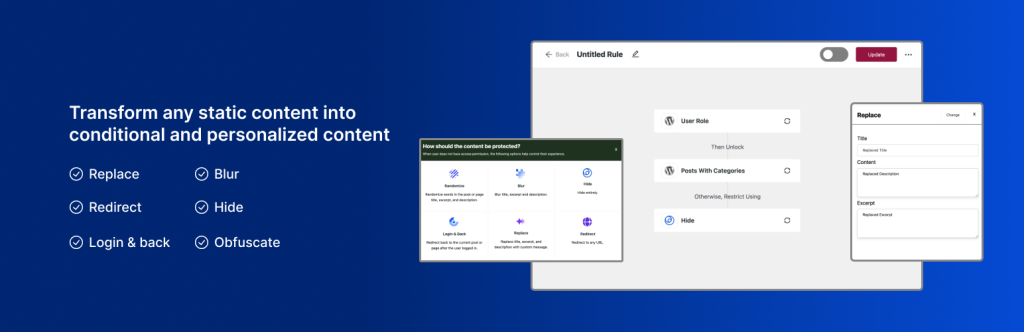
All-in-One Content Restriction is a reliable WordPress plugin for content control. Its easy features make it suitable for even non-technical users. Users can easily set rules to decide who can see each post, page, or custom content.
Moreover, it lets you control visibility by user role, user login/logout status, or username. Based on these rules, you can personalize content. Again, its powerful features enable you to quickly restrict pages with only three easy steps.
What’s more, you can customize how restricted content appears or behaves for unauthorized users. It also integrates seamlessly with popular plugins like WooCommerce, FluentCRM, Easy Digital Downloads, Directorist, and more. This plugin provides complete control over your content access needs, all within a user-friendly interface.
What Can You Restrict?
Here’s what you can restrict with All In One Content Restriction:
- Posts
- Pages
- Custom Post Types
- Categories
- Tags
- Taxonomies
Key Features
- Control visibility by user role and user login/logout status.
- Customize restriction settings for each content type.
- Restrict access to posts and pages or any custom post types.
- Allow access to specific user roles only.
- Seamlessly integrates with the most popular plugins.
- Flexible content restriction options by user role, page, or post type.
- Customizable messaging for restricted content areas.
- Fast and user-friendly interface, perfect for beginners.
- Optimize WooCommerce & Easy Digital Downloads (EDD) powered store experiences with advanced restriction options.
Pros
- Works well with other plugin integrations.
- Simple three-step restriction setup.
- Great for non-technical users.
- Straightforward interface, easy for beginners.
- Supports a wide range of restriction options – Replace , Hide , Login & Return back, Redirect, Blur & Obfuscate the content.
- Generous free features available, with the option to upgrade as needed.
Cons
- No built-in analytics feature.
- Advanced features may require additional plugins for full fledge membership management.
Best For: Websites needing flexible but straightforward content restriction capabilities.
Pricing:
Available for free on WordPress.org, with a pro version offered to extend its functionalities.
2. WP Private Content Plus
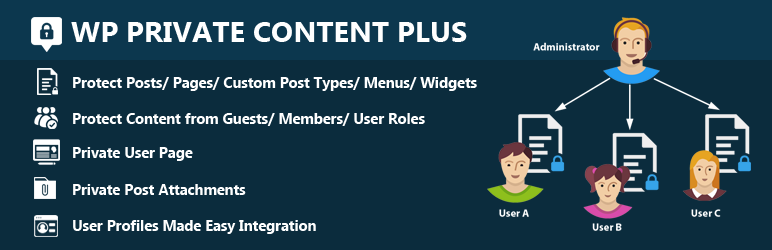
WP Private Content Plus secures your WordPress content for specific users by restricting access to pages, posts, menus, and widgets. With shortcodes, you can hide specific sections of posts.
With shortcode support, administrators can easily control content visibility within posts. This tool integrates seamlessly with user profiles. Thus, it makes it easy to add frontend user-profiles and member directories.
What Can You Restrict?
With WP Private Content Plus, you can restrict access to:
- Posts
- Pages
- Custom Post Types
- Categories
- Sections/Blocks using shortcode
Key Features
- Restrict content by user roles or groups
- Individual private page for each user
- Hide specific content with shortcode
- Lock the entire site with one password
- Customize menus for specific users
Pros
- Easy to set up for beginners
- Strong content protection options
- Widget restrictions based on user roles
- Customizable access for different roles
Cons
- Pro version needed for advanced features
- Limited frontend options in the free version
Best for: Websites needing specific user-based restrictions and private content.
Pricing:
Available for free on WordPress.org, with a pro version offered to extend its functionalities.
3. Passster – Password Protection Plugin
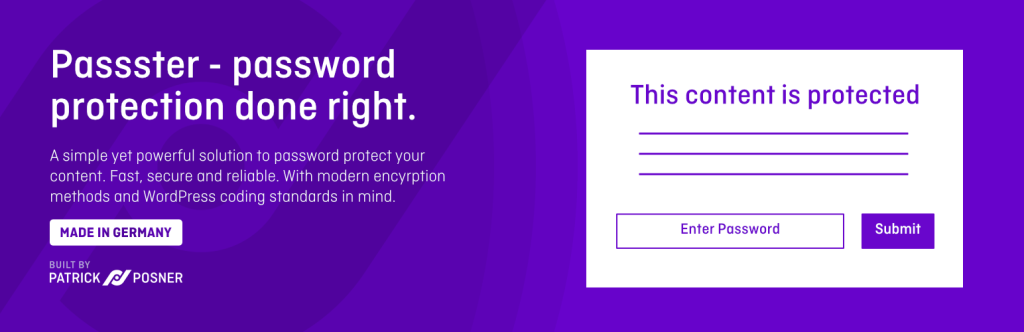
Passster is a user-friendly content restriction plugin that enables password-based protection for various parts of your website. You can easily secure individual posts, pages, or entire sections using customizable password options, adding privacy to select content areas without complex setup. This lightweight solution is perfect for those looking to enhance content security with minimal effort.
What Content Can You Restrict?
With Passster, you can restrict access to:
- Posts
- Pages
- Entire Sections (e.g., landing page or private content areas)
- Specific shortcodes within your content
Key Features:
- Password-protect individual posts, pages, or entire sections
- Supports multiple passwords and dynamic password generation
- Includes options for one-time links and password expiration
- Option for one-time link & password expiration
Pros:
- Quick, simple setup with no need for advanced membership configurations
- Flexible password options for customizable security
- Lightweight and efficient for seamless performance
Cons:
- Limited features for user role or membership management
Best for: Websites needing a simple, efficient password protection solution without added complexity.
Pricing:
Available for free on WordPress.org, with a pro version offered to extend its functionalities.
4. Restrict Content

Restrict Content plugin offers an effective solution for controlling access to content based on membership levels. This allows you to manage who can view specific pages, posts, and custom post types on your site with ease.
What Content Can You Protect?
With Restrict Content, you can restrict access to:
- Posts
- Pages
- Custom Post Types
Key Features:
- Control access by user logged-in status, user role, or membership level.
- Customize messages displayed for restricted content.
- Seamlessly integrates with popular membership and e-commerce plugins.
Pros:
- Quick setup and ideal for membership-based sites.
- Allows restriction of both free and premium content.
Cons:
- The free version lacks advanced features.
Best For:
Ideal for membership sites that require a simple, effective content restriction solution.
Pricing:
Available for free on WordPress.org, with a pro version offered to extend its functionalities.
5. Restrict
Restrict is a streamlined plugin designed to help you manage access to specific sections of your site through role-based and user-level restrictions. It’s perfect for sites that need simple yet powerful access control without complexity.
What Content Can You Restrict?
With Restrict, you can control access to:
- Posts
- Pages
- Custom Post Types
Key Features:
- Set restrictions based on user logged-in status, user roles, or specific users.
- Use shortcodes for easy restriction setup.
- Customize messages displayed for restricted content.
Pros:
- Clean, minimalistic interface.
- Ideal for smaller sites or blogs with basic access control needs.
- Available for free.
Cons:
- Limited customization options for advanced needs.
Best For:
Restrict is best suited for simple blogs or smaller websites that require basic content restrictions without extensive configuration.
Pricing:
Available for free on WordPress.org, with a pro version offered to extend its functionalities.
6. PPWP – Password Protect WordPress Pages
PPWP is another powerful WordPress plugin designed to secure content on WordPress sites through password protection. It’s an ideal solution for websites that need an easy way to restrict access without the complexities of a full membership system.
What Can You Protect?
With PPWP, you can restrict access to:
- Posts
- Pages
- Entire sections or pages (by applying password to multiple sections)
- Specific content blocks within posts (using shortcode)
Key Features:
- Secure individual posts or pages with custom passwords.
- Enable multiple passwords for a single post or page.
- Set password expiration and one-time access link.
Pros:
- Quick and easy setup.
- Lightweight, avoiding the complexity of full membership system.
- Create one-time link for temporary secure access.
Cons:
- Limited customization option for advanced membership site.
Best For: Websites that require basic password-protected content without the need for user account.
7. Restrict User Access
Our last but not least plugin is Restrict User Access. It is a powerful WordPress plugin designed to manage access to content based on user roles and membership levels. It allows website owners to restrict posts, pages, or custom post types so that only specific users or groups can access them.
The plugin’s intuitive settings make it easy to create custom access levels and apply them across various site areas. Content can be restricted by conditions like user logged-in status, user roles, or even URL-based rules, giving you flexibility in managing access to sensitive or premium content.
What Can You Restrict?
With Restrict User Access, you can restrict access to a variety of content types based on user roles or access levels. Here’s what you can restrict with this plugin:
- Posts
- Pages
- Custom Post Types
- Categories
- Tags
- Widgets
Key Features
- Control access based on user roles.
- Restrict posts, pages, categories, and more.
- Redirect unauthorized users or show teasers.
- Easily override plugin permissions per user.
Pros
- Setting up the plugin is a breeze
- Set up unlimited access levels.
- Redirect unauthorized users easily.
Cons
- Requires WooCommerce for paid membership levels.
Best For: Websites requiring variety of content types based on user roles or access levels.
Frequently Asked Questions (FAQs)
Are restriction plugins safe?
Yes, usually there is no issue while you use restriction plugin on your site. However, for a better security we recommend you to check plugin rating before its installation. A plugin with a rating of 4-star or higher is usually considered secure and fast.
What type of content can I restrict using plugins?
Every plugin comes with exceptional features that make them better than others. You can restrict various types of content like pages, posts, widgets and individual blocks depending on user status, roles, and more.
Are content restriction plugins compatible with membership plugins?
Yes, content restriction plugins are compatible with membership plugins.
Do content restriction plugins affect SEO?
No, using a content restriction plugin won’t negatively impact your site’s SEO. It’s crucial, though, to decide which content should be accessible and indexed by search engines. With careful configuration, you can restrict content visibility without affecting your site’s overall SEO performance.
Final thoughts
The best WordPress content restriction plugin for your WordPress site depends on your specific needs—whether that’s simple gated content setup or advanced membership management. Options like All In One Content Restriction and Passster – Password Protection Plugin are ideal for straightforward content restriction.
While Restrict User Access, Restrict , and other plugins excel in offering robust features for content restrictions. Choosing the right plugin ensures a secure, engaging experience for your audience and supports your site’s growth and monetization goals.